
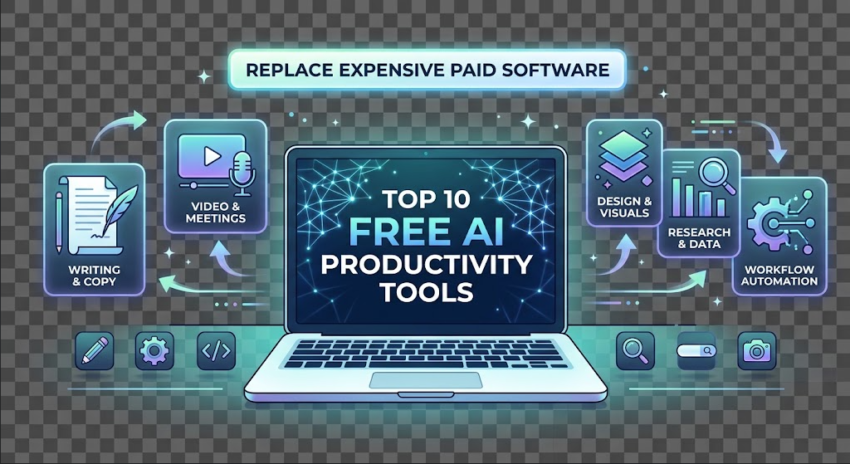
Managing multiple $20–$50/month software subscriptions adds up quickly. With rapid advancements in generative AI, several high-performing platforms now offer free tiers capable of replacing premium software across writing, design, research, meeting management, and coding.
| Free AI Tool | Replaces (Paid Software) | Primary Superpower |
| Gamma App | Microsoft PowerPoint ($9.99/mo) | Instant AI slide deck & webpage generator |
| Perplexity AI | Ahrefs / Costly Research Portals | Real-time source-cited deep research |
| Claude Free | Jasper AI / Copy.ai ($49+/mo) | Long-form, nuanced copy & document analysis |
| Microsoft Designer | Canva Pro / Midjourney | DALL-E 3 visuals & clean branding layouts |
| Fireflies.ai / Granola | Otter.ai Pro ($16.99/mo) | Automated meeting transcripts & action items |
| Cursor / Replit AI | GitHub Copilot ($10/mo) | Context-aware code generation & debugging |
| CapCut Web / Clipchamp | Descript / Premiere Pro | AI auto-captions, silence removal & b-roll |
| ChatPDF / NotebookLM | Acrobat Pro ($19.99/mo) | Grounded Q&A over massive PDFs & manuals |
| Goblin.tools | Motion ($19/mo) | Task unbundling & automated time estimation |
| Zapier (Free Tier) / n8n | Enterprise Integration Tools | Multi-app task automation & scheduled triggers |
1. Gamma App (Replaces: PowerPoint / Keynote)
Gamma transforms plain text prompts, bullet points, or document outlines into polished, interactive presentation decks and landing pages in seconds. Its free credits allow you to generate full presentations without manually aligning text boxes or hunting for stock graphics.
2. Perplexity AI (Replaces: Paid Search & Research Suites)
Unlike traditional search engines cluttered with sponsored links, Perplexity delivers concise answers backed by live, verifiable citations. It is particularly effective for market research, technical documentation checks, and fact-gathering.
3. Claude by Anthropic (Replaces: Jasper AI & Copy.ai)
Claude excels at maintaining a natural, human-like voice across complex, long-form content. Its generous context window allows you to upload entire codebases, PDFs, or contracts to receive grounded summaries and drafted revisions without promotional fluff.
4. Microsoft Designer (Replaces: Canva Pro)
Powered by DALL-E 3, Microsoft Designer handles quick promotional banners, social media assets, and vector-style graphics. It includes built-in background removal and prompt-based layout adjustments at zero cost.
5. Granola & Fireflies.ai (Replaces: Otter.ai Pro)
These free AI meeting notetakers integrate seamlessly with Zoom, Google Meet, and Teams. They filter out conversational filler, generate concise summaries, and structure clear action items with owner tags.
6. Cursor Free Tier (Replaces: GitHub Copilot)
Cursor is an AI-first code editor built on VS Code. It indexes your entire repository locally, letting you write boilerplate code, refactor legacy functions, and troubleshoot runtime errors using natural language prompts.
7. CapCut Web (Replaces: Paid Video Clipping Tools)
CapCut’s browser editor features AI captioning with accurate timestamps, background noise suppression, and automatic portrait framing—making short-form video production fast without requiring high-end video suites.
8. Google NotebookLM (Replaces: Paid PDF Analyzers)
Upload up to 50 sources (PDFs, Google Docs, web links) to NotebookLM, and it creates an isolated knowledge base. It answers queries exclusively using your uploaded material, eliminating hallucinations and providing exact page citations.
9. Goblin.tools (Replaces: Complex Project Schedulers)
Designed for task breakdown, Goblin.tools takes broad to-do items and automatically splits them into manageable, time-estimated subtasks. It also includes tools to convert casual drafts into professional business emails.
10. n8n / Zapier Free (Replaces: Paid Integration Services)
Connecting your web tools without code is essential. n8n’s self-hosted open-source version or Zapier’s free tier lets you trigger multi-app workflows—such as automatically logging form entries, sending lead alerts, and formatting data tables.
Tips to Maximize Free AI Tool Stacks
Daisy-Chain Tools: Use Perplexity to gather data, Claude to structure the article, and Microsoft Designer or Gamma to build the visual assets.
Audit Subscriptions Quarterly: Check recurring software charges against current free AI offerings to eliminate redundant tools.
Keep Prompts Specific: Include exact output formats, tone requirements, and constraints to get production-ready results on the first attempt.
Frequently Asked Questions
Are free AI productivity tools safe for business and client data?
Most free AI tools allow opt-outs for model training in settings. However, you should avoid pasting confidential credentials, sensitive customer data, or proprietary source code into public free-tier models.
Can free AI tools fully replace paid subscriptions like Canva Pro or GitHub Copilot?
Yes, for individual creators and small teams. Platforms like Microsoft Designer provide DALL-E 3 visual generation at no cost, while Cursor’s free tier offers context-aware codebase completions that match standard Copilot workflows.
Which free AI tool is best for analyzing documents and long PDFs?
Google NotebookLM is the most accurate free option because it grounds its answers strictly in your uploaded PDF sources without generating hallucinated content.
What is the best free AI tool for daily task management?
Goblin.tools breaks down overwhelming tasks into step-by-step actionable lists with estimated time frames, making it an effective, lightweight alternative to paid scheduling apps.