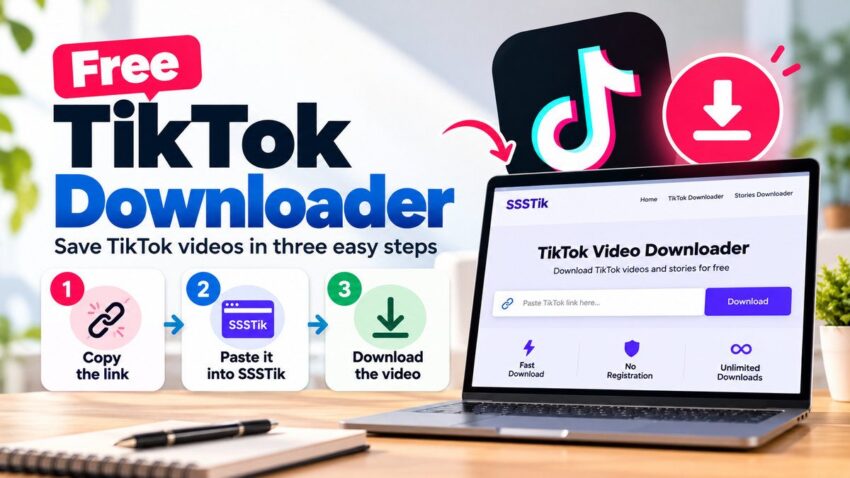
Many everyday digital tasks only need the right free tool, and saving a video is one of them. SSSTik is a free TikTok Downloader that runs in your web browser. Paste a link to a public video or story and download the file, with no app to install and no account to create. It’s useful for keeping Malayalam recipes, language lessons and tech tips available offline.
What SSSTik does
SSSTik is a tiktok video downloader and a stories downloader. When you paste a link, it fetches the media TikTok makes available for that public post and gives you a direct download. Videos come as MP4 when that format is available from the source, and in HD when TikTok hosts an HD version.
It doesn’t edit or re-encode the clip. That matters for the TikTok watermark too: SSSTik doesn’t remove or blur it, but when TikTok provides a version of the video without the watermark, SSSTik links to that file directly.
How to download a TikTok video in three steps
- Copy the link. In the TikTok app, tap Share on the video or story and choose Copy link. On a computer, copy the URL from the address bar.
- Paste it into SSSTik. Open SSSTik in any browser and paste the link into the input field.
- Download. Press the download button and choose an available option. Depending on your device and browser, the file goes to your Downloads folder, the Files app or your gallery.
TikTok isn’t available in every country, and SSSTik doesn’t change that. It only works with links to posts that are publicly available.
Saving Malayalam videos for offline learning
Malayalam creators on TikTok share short, practical videos that are worth keeping:
- Recipes: traditional dishes broken into steps you can follow in the kitchen without scrolling back through the app.
- Language lessons: Malayalam script, pronunciation and everyday phrases, which are useful for children growing up abroad or for anyone learning the language.
- Tech tips: phone settings, app shortcuts and online-service walkthroughs explained in Malayalam.
- Study material: short explainers you can replay while revising for an exam.
Saved videos play without mobile data, which helps on limited data plans or while traveling. To find clips quickly later, sort them into folders by topic and rename each file with the creator’s handle and a short description in Malayalam or English.
Posts can disappear when creators delete them, set their accounts to private or get suspended. SSSTik can’t recover content that’s already gone, so save important videos while they’re public.
What to look for in a free TikTok Downloader
The same checklist works for any free online tool, from AI tools to simple utilities:
- Signup: a simple task shouldn’t need an account. SSSTik doesn’t require registration.
- Installation: browser tools don’t add apps or extensions to your device. SSSTik runs in desktop, mobile and tablet browsers, though some browsers behave differently.
- Honest description: the tool should say what it actually does. SSSTik fetches an available file. It doesn’t edit videos or claim to remove watermarks.
- Limits: SSSTik is free to use with unlimited downloads, and processing usually takes a few seconds.
- Boundaries: a trustworthy tool won’t promise access to private or deleted content. SSSTik only works with public posts.
Frequently Asked Questions (FAQs)
1. How can I download TikTok videos for free?
You can download publicly available TikTok videos using a free TikTok downloader such as SSSTik. Copy the video link from TikTok, paste it into the SSSTik website, and select the available download option. You don’t need to install an app or create an account.
2. Can I download TikTok videos without a watermark?
Some TikTok videos may be available without a watermark, depending on the source file. SSSTik does not remove or edit watermarks. It provides access to an unwatermarked version only when that version is available.
3. How do I save Malayalam TikTok tutorials for offline viewing?
Find a public Malayalam tutorial on TikTok, copy its link, and paste it into SSSTik. Download the available video file and save it to your phone or computer. You can then watch recipes, language lessons, educational videos, and technology tutorials offline.
4. Is SSSTik a free TikTok downloader?
Yes. SSSTik is described as a free, browser-based TikTok downloader that does not require registration or software installation. It supports downloading available media from public TikTok posts.
5. Can I download TikTok videos on an iPhone or Android phone?
Yes. SSSTik works through supported mobile browsers on iPhone and Android devices. Copy the TikTok video link, open SSSTik in your browser, paste the link, and download the file. The saving process may vary depending on your device and browser.
6. Can I download private or deleted TikTok videos?
No. SSSTik only works with publicly accessible TikTok posts. It cannot recover deleted videos or download content from private accounts that is not publicly available.
7. What video format does SSSTik support?
SSSTik provides MP4 downloads when that format is available from the source.