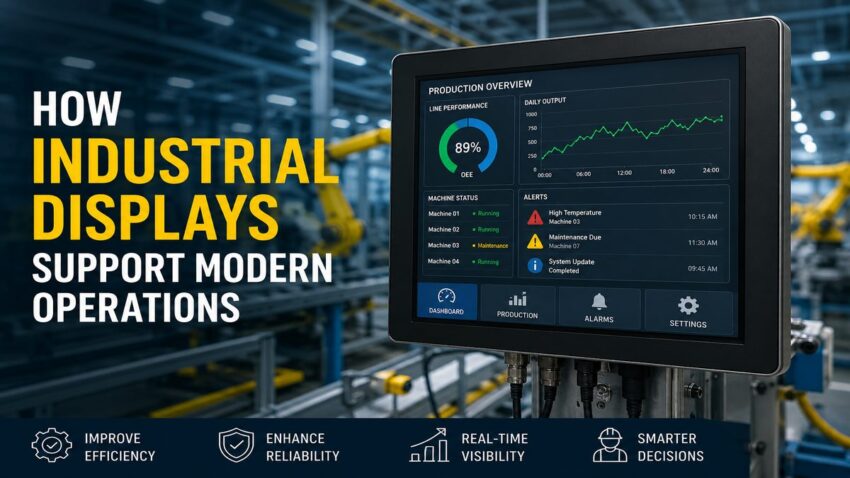
Let’s discuss how Industrial Displays Support Modern Operations. Industrial displays are now part of how factories, warehouses, utilities, transport hubs, control rooms, and field operations manage daily work. They show machine data, alerts, production status, safety messages, schedules, diagnostics, maps, and operator instructions.
Unlike office monitors, industrial displays are built for environments where heat, dust, vibration, moisture, glare, and long operating hours are common.
The right display can improve visibility, reduce operator error, support faster decisions, and keep teams aligned during complex workflows.
Why Industrial Displays Matter
Modern operations depend on real-time information. Operators need to see what is happening without walking back to a desk, checking a paper log, or asking another department for updates.
Industrial displays bring critical data closer to the work area.
They can show production targets, equipment status, quality checks, downtime events, maintenance alerts, inventory movement, and safety warnings.
When information is visible at the point of work, teams can respond faster and make fewer assumptions.
Built for Harsh Environments
Standard commercial screens are not designed for industrial settings. They may fail early when exposed to vibration, temperature swings, dust, moisture, chemicals, or heavy use.
Facilities that need reliable visual systems often compare rugged displays because industrial-grade screens are designed for tougher operating conditions and longer duty cycles.
Durability matters because display failure can interrupt production, delay communication, or leave operators without key data.
A strong industrial display should match the environment, not just the software it will run.
Improve Human-Machine Interface Performance
Many industrial displays are used as part of a human-machine interface, or HMI. This allows operators to interact with machines, production lines, sensors, and control systems.
A good HMI display should make critical information easy to read and act on.
The screen layout should show alarms, status, controls, trends, and instructions without clutter.
Poor interface design can slow decisions. It can also increase the risk of pressing the wrong command or missing an important alert.
Support Real-Time Monitoring
Real-time monitoring helps operations teams detect problems early. Displays can show live data from PLCs, SCADA systems, sensors, cameras, warehouse systems, fleet systems, and maintenance platforms.
This is useful in environments where seconds matter.
If a machine overheats, a conveyor stops, a pressure reading changes, or an order queue backs up, the display should make the issue visible immediately.
Data Commonly Shown on Industrial Displays
Useful display content includes:
- Machine status
- Production counts
- Line speed
- Temperature readings
- Pressure levels
- Alarm notifications
- Quality results
- Work instructions
- Inventory movement
- Maintenance reminders
The data should be simple enough for fast interpretation during active work.
Reduce Downtime Through Better Alerts
Downtime is expensive. Industrial displays help reduce downtime by showing problems early and guiding the next action.
An alert should not only say that something is wrong. It should show where the issue is, how serious it is, and what step should happen next.
For example, a display near a production line may show fault codes, maintenance procedures, lockout reminders, or escalation contacts.
This shortens the time between detection and response.
Clear alerts are especially useful when teams rotate shifts or when multiple operators share responsibility for the same equipment.
Improve Safety Communication
Safety communication needs to be visible, current, and location-specific. Industrial displays can support safety by showing hazard alerts, evacuation instructions, air quality data, machine status, forklift zones, incident notices, and personal protective equipment reminders.
Digital displays are easier to update than printed signs.
This matters when site conditions change during the day.
A warehouse may need to show loading dock status. A plant may need to display lockout conditions. A utility facility may need to show restricted access or emergency warnings.
Choose the Right Display Specifications
Selecting an industrial display requires more than choosing a screen size. The specification should match the worksite.
A display used outdoors has different needs from one mounted inside a clean control room.
Specifications to Review
Important features include:
- Screen brightness
- Touchscreen capability
- Operating temperature range
- IP rating
- Vibration resistance
- Mounting options
- Viewing angle
- Connectivity ports
- Power requirements
- Glove-friendly operation
- Sunlight readability
- Enclosure material
Choosing the wrong specification can lead to poor visibility, premature failure, or unreliable operator input.
Support Warehouse and Logistics Workflows
Industrial displays are useful in warehouses and logistics operations because they improve visibility across moving processes.
They can show order queues, picking priorities, dock assignments, forklift routing, packing status, delivery schedules, and inventory exceptions.
Large displays can help teams understand workload without checking individual handheld devices.
This improves coordination during busy shifts.
For supervisors, displays can show bottlenecks and help balance labor across zones.
Final Thoughts
Industrial displays support modern operations by making real-time information visible where work happens. They improve monitoring, safety communication, machine interaction, work instructions, warehouse coordination, and downtime response.
The best display is not simply the largest or brightest screen.
It is the one built for the environment, connected to the right systems, placed where teams need it, and configured to show information clearly.
When industrial displays are selected and deployed properly, they help operations run with more control, speed, and accuracy.