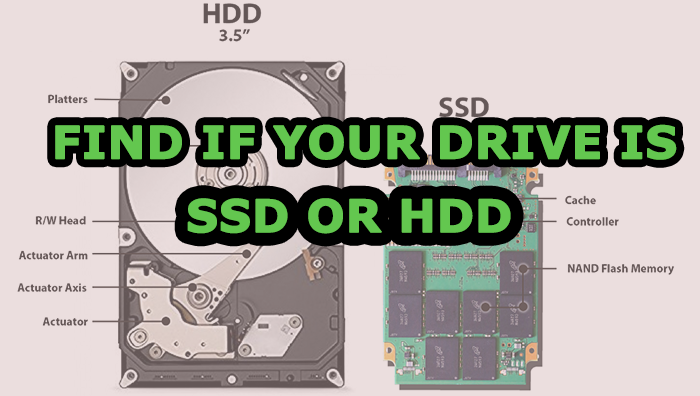
Nowadays SSD (solid-state drives) has got wider acceptance since they are faster than HDD. The SSDs are using flash drives to achieve maximum performance. The only drawback is SSDs are much expensive than traditional HDD. So after buying SSD Laptop or SSD Desktop, have to check your Hard Disk Drive is SSD or HDD or Hybrid. In the market, some of them are selling hybrid (SSD+HDD) systems are in the price of pure SSD.
Methods to Check Your Hard Disk Drive is SSD or HDD
This tutorial is based on the most popular Windows operating system. Windows giving Inbuilt tools to check the Hard Disk Drive. It is possible to do without installing any third-party application. This functionality included all the versions of Windows operating systems later than Windows XP.
Method 1: Disk Defragmenter Tool
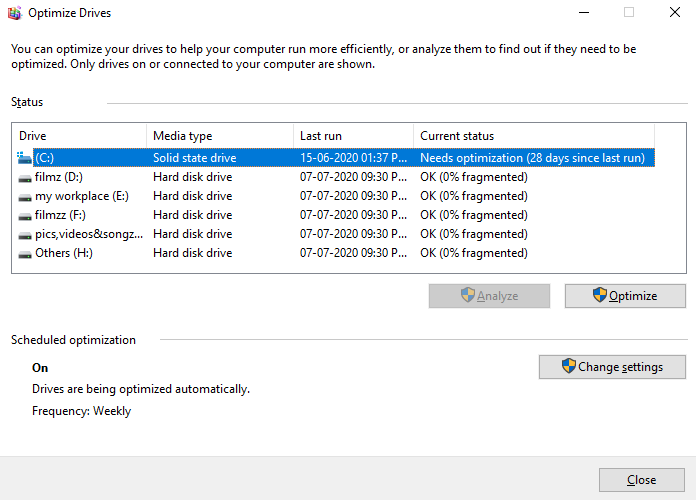
Simply press Windows key + R keyboard shortcut to Run box, type dfrgui, and press enter

It will open the disk defragmenter window, by looking at the media type column we can find which one is a solid-state drive (SSD) and which one is hard disk drive (HDD).
Method 2: Windows PowerShell Tool
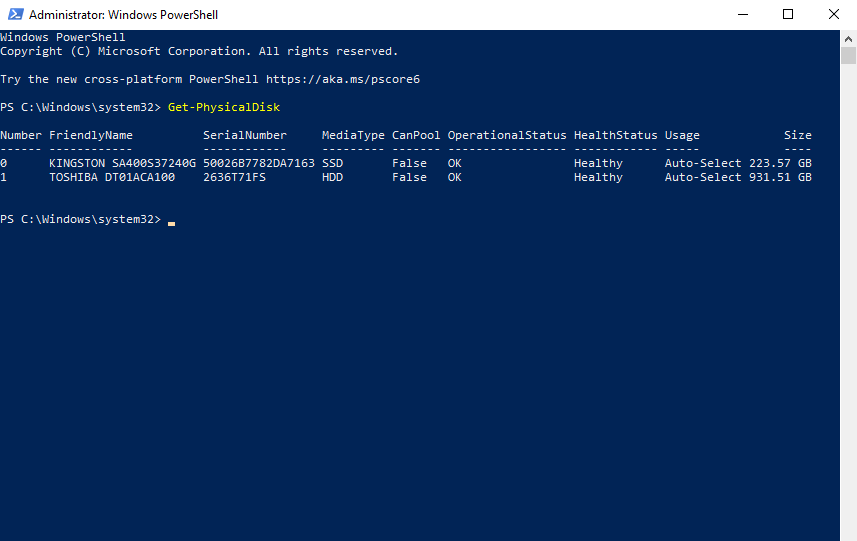
Open the PowerShell as administrator and type following command.
Get-PhysicalDisk
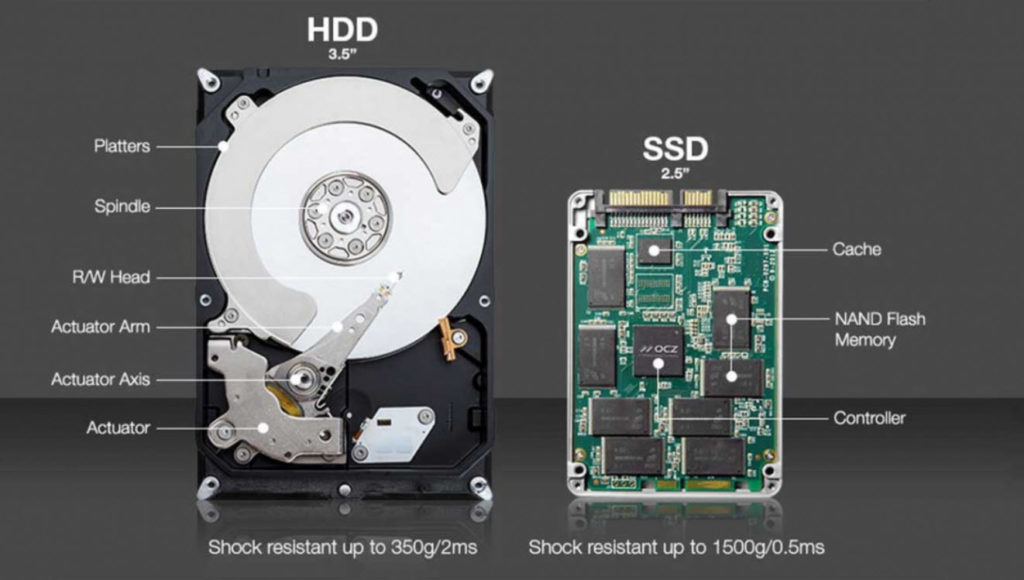
This command displays all connected physical drives and we can check if it is a solid-state drive (SSD) or hard disk drive (HDD) by analyzing the Media type column. We can also check the type of your hard drive using third party softwareHard disk drives have one or more magnetically sensitive platters, an actuator arm with a read/write head on it for each platter, and a motor to spin the platters and move the arms. It also an I/O controller and firmware that tells the hardware what to do and communicates with the rest of the system. The main drawback of HDD is that mechanical parts used to read and write may fail at some point. The HDD consumes more space and energy than SSD. The advantage of HDD is that it is less expensive and it can be used as a storage drive in combination with an SSD.
The difference between SSD and HDD
SSD working is very much different compared to an HDD. They use flash drives to deliver superior performance and durability. Since they don’t have mechanically moving parts, they have more durability, run cooler, and use less energy. Using SSD performance of apps and games will be high. Having advanced technology SSD is much expensive than a normal HDD.
CONCLUSION
Unless being a technical geek you might want to check whether your PC or laptop hard drive is SSD or HDD. If you use an old personal computer your computer secondary storage might be an HDD (Hard disk drive).
So, using the above-listed methods we can simply check the type of hard drives in personal computers as well as laptops. While choosing/building personal computers and laptops we should check the type of hard drives used. SSD can bring in considerable performance boost to computers and laptops. Installing the operating systems and applications in SSD drive and using HDD as the hard drive is very ideal for budget performance computers. Since SSD are available in large size now it is better to choose SSD over HDD o build gaming/streaming setups where budget is not a concern. So, go and directly check the type of your hard drive using the above methods.
Related Queries
Find If Your Drive is SSD or HDD in Windows 10 / 8 / 7
How do I know if my laptop is SSD?
Check SSD or HDD windows 10, how to check if disk is SSD
How do I check what hard drive I have?
Do you need both HDD and SSD?
how to tell if the hard drive is ssd windows 7,SSD vs hdd,how to check if the disk is ssd linux,how to check SSD or HDD,how to check SSD size in windows 10, how to check ssd windows 10, how to check ssd size in laptop,how do i know if i have SSD or HDD windows 10
Related posts
The best replacement for WinZip and WinRar