
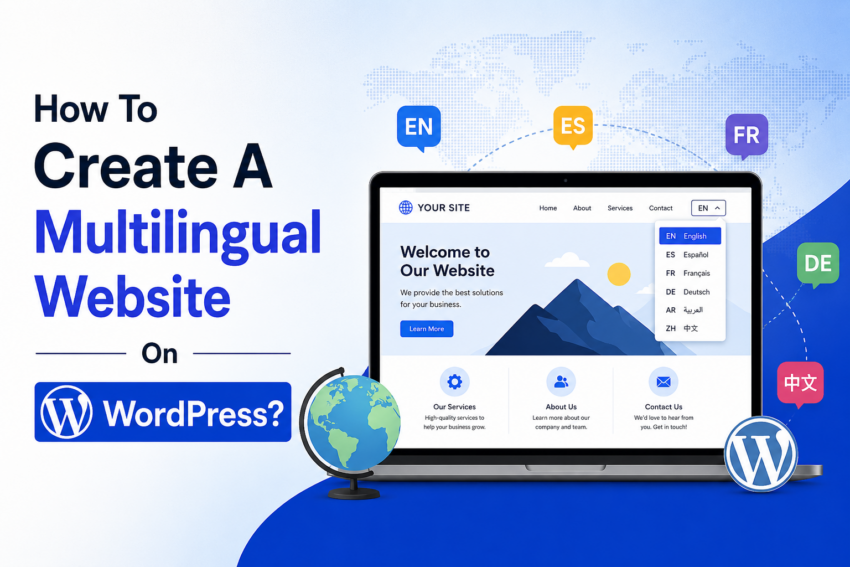
Let’s discuss how To Create A Multilingual Website On WordPress. A multilingual website provides content in multiple languages. For example, a website may support English, Spanish, French, and German.
Users can choose their preferred language using a language switcher. This improves user experience because visitors can read content more comfortably.
Many global brands and online businesses use multilingual websites to connect with people worldwide. The good thing is that WordPress makes this process simple. You can create a multilingual website without coding skills.
Want to know how? Read this article to the end.
Benefits Of Creating A Multilingual Website
- Reach a larger audience worldwide
- Improve user experience
- Increase international website traffic
- Build trust with global visitors
- Improve multilingual SEO performance
- Increase sales and conversions
Prerequisites for Creating A Multilingual Website
Before creating a WordPress website, there are certain things that you must be clear about.
1. Languages
Before creation, it is necessary to decide what languages you want to add. A good approach is to add only those languages that align with your audience. Adding unnecessary languages can give you no benefit. They only add up to zero traffic pages. So, stick to the necessary ones.
2. URL Structure
URL structure is very, very important for a multilingual website. Choose a proper URL structure. The best approach is to go with subdirectories. For example:
- example.com/en/
- example.com/fr/
This method is simple and SEO friendly.
You can also create subdomains for languages individually, like:
- en.example.com
- fr.example.com
This option works well for larger websites. But managing SEO here is challenging, as you will be handling multiple websites at once.
3. Translation Strategy
You also need to decide how you will translate content. The best approach is to translate content manually. However, on WordPress, you get many reliable plugins that do that job with a few clicks. But later, for SEO purposes, you will need to make keyword adjustments manually.
Methods to Create a Multilingual WordPress Website
Multiple methods can be used for creating a multilingual WordPress website. The three best methods are as follows.
1. Using A Translation Plugin
Using a translation plugin is the easiest method for creating a multilingual WordPress website. Using plugins, you can translate the text and implement SEO essentials like URL structure and hreflang tags with one click.
However, translation plugins are usually paid. Some free plugins are also available, but lack SEO functionalities.
Most plugins only translate text content. For visual-like images, you will need to perform a separate translation. For quick translations, you should use an online image translator instead of doing it manually. This will save you time and get instant text translation within the same image design.
2. Creating Separate Language Sites (via Subdomains)
You can also create separate websites using subdomains. Each subdomain is dedicated to a particular language. This method offers greater control but requires additional management.
3. Using Multisite WordPress Setup
WordPress Multisite allows users to manage multiple language-specific websites from a single dashboard. However, this method required technical expertise, as you had to make changes to files like wp-config.php. Go for this method only if you have technical development expertise.
Best WordPress Multilingual (Translation) Plugins
There are various WordPress translation plugins available online. It is necessary to choose one carefully. Because some come with only content-translation capabilities and do not create separate pages. While some lack hreflang URL settings.
The following are some of the best WordPress translation plugins. Each of them is good at its place for making a site multilingual. And the good thing is that all of them offer international SEO and URL settings, which are crucial for a multilingual website.
1. WordPress Multilingual (WPML)
WPML is one of the most popular multilingual plugins for WordPress. It offers SEO friendly translation system and WooCommerce support as well. You can perform translation either manually for individual pages or automatically for every page.
| Pros | Cons |
|---|---|
|
|
2. Polylang
Polylang is another reliable plugin that helps in creating multilingual websites. This tool supports multiple languages and easy to set language switcher. If configured from the website start, you get a perfect SEO-friendly setup.
| Pros | Cons |
|---|---|
|
|
3. TranslatePress
TranslatePress is a beginner-friendly WordPress translation plugin. It allows users to translate content directly on the website’s front end. You can translate pages manually or use automatic translation through Google Translate or DeepL integration.
| Pros | Cons |
|---|---|
|
|
Steps to Create a Multilingual WordPress Website
Creating a multilingual WordPress website is not that difficult. Just follow this easy workflow we are sharing below. Your website will go multilingual without errors.
Note: The steps below are for new websites only. If you want to make an existing website with published pages multilingual, the steps can vary.
Step 1: Install WordPress
Install WordPress on your hosting account. Then choose a responsive theme for your website.
Step 2: Choose A Multilingual Plugin
Now, select a multilingual plugin based on your needs. Beginners usually prefer TranslatePress or Polylang because they are easier to manage.
Step 3: Install And Activate The Plugin
Go to the WordPress dashboard.
- Open Plugins > Click Add New
- Upload your plugin file or install directly from the Plugins
- Click Install and then Activate
Step 4: Select Default And Secondary Languages
Now choose your main website language and additional languages.
For example:
- Default language: English
- Secondary language: Spanish
Step 5: Translate Website Content
Start translating important website content.
- Posts: Translate blog posts into different languages.
- Pages: Translate important pages like About, Services, and Contact.
- Menus: Create translated navigation menus for visitors.
- Widgets: Translate footer text, sidebar widgets, and other sections.
- Visuals: If the plugin supports media translation, then it’s well and good. Otherwise, translate text inside images by yourself.
Step 6: Add A Language Switcher
A language switcher allows visitors to easily switch languages. Most plugins allow users to place the switcher in the header, footer, menu, or sidebar.
Step 7: Optimize SEO Settings
SEO is important for multilingual websites. Make sure every translated page has:
- Unique meta titles
- Meta descriptions
- SEO friendly URLs
- Proper hreflang tags
Step 8: Test Your Website In Different Languages
Test all translated pages carefully.
Check:
- Language switching
- Translation quality
- Mobile responsiveness
- Internal links
Bottom Line
Creating a multilingual WordPress website is now easier than ever. With the right plugin and proper SEO setup, you can reach a global audience without much difficulty. However, always focus on quality translation and user experience. A well-managed multilingual website can improve traffic, build trust, and help your business grow internationally.