
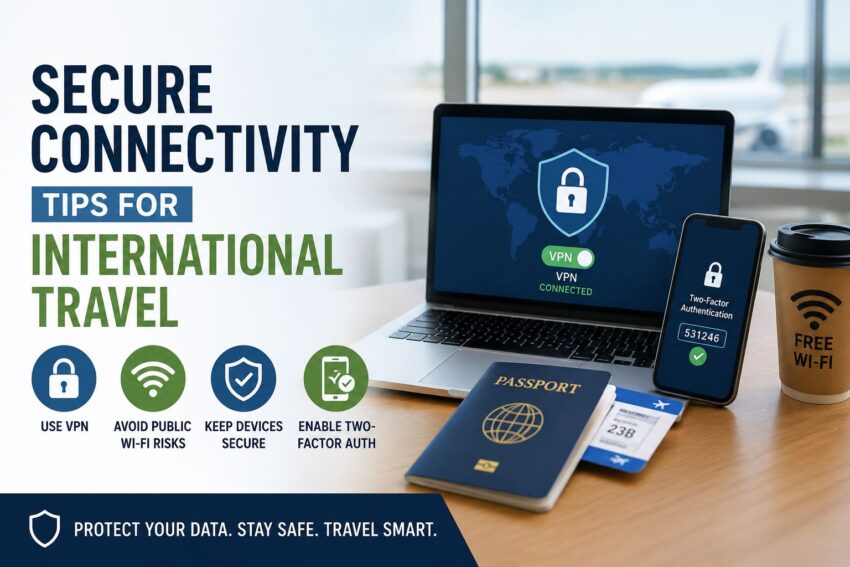
Learn Secure Connectivity Tips for International Travel. International travel puts phones, laptops, tablets, and work accounts in higher-risk environments. Airports, hotels, cafés, coworking spaces, rideshares, and public charging areas all create more exposure than a trusted home or office network.
The goal is not to travel disconnected. The goal is to prepare devices, reduce unnecessary data exposure, and use safer connection habits while moving between networks.
A secure travel setup should cover device updates, Wi-Fi behavior, authentication, backups, VPN planning, account access, and recovery steps if something goes wrong.
Prepare Devices Before Departure
Security is easier before the trip starts. Update every device before leaving, including the operating system, browser, password manager, banking apps, work apps, VPN app, and messaging tools.
Remove apps you do not need during the trip. Fewer apps mean fewer permissions, fewer background connections, and fewer weak points.
Back up important files before travelling. If a device is lost, stolen, or damaged, you should not lose access to critical documents.
Avoid carrying unnecessary sensitive files. If you do not need tax records, client files, scanned IDs, or internal documents on the device, store them securely elsewhere.
Plan VPN Access Early
A VPN can help protect data on public networks by encrypting traffic between your device and the VPN provider. It is useful when using hotel Wi-Fi, airport networks, conference centers, and shared workspaces.
Set up and test VPN access before the trip. Some countries restrict VPN access or block certain services, so waiting until arrival can create problems.
Travellers researching expressVpn China should prepare before departure, review local rules, and keep backup connectivity options available in case a preferred service is unreliable.
A VPN is one layer of protection. It does not replace strong passwords, account security, device updates, or careful network choices.
Avoid Auto-Joining Public Wi-Fi
Phones and laptops often remember networks and try to reconnect automatically. That is risky while traveling because attackers may create lookalike network names.
Turn off auto-join for public Wi-Fi. Disable automatic connection to open networks.
When connecting manually, confirm the network name with hotel staff, airport signage, or the business providing access.
Avoid networks with vague names such as “Free Airport WiFi” if several similar options appear.
If you do not need Wi-Fi, use a cellular connection or travel eSIM instead.
Use Multi-Factor Authentication
Multi-factor authentication makes account takeover harder. It is especially important when logging in from new locations or unfamiliar networks.
Use an authenticator app or hardware security key where possible. SMS codes are better than no second factor, but they can be vulnerable if your phone number is compromised or roaming fails.
Make sure backup codes are stored securely before the trip.
Accounts That Need Strong Authentication
Protect these accounts first:
- Banking apps
- Cloud storage
- Work accounts
- Password manager
- Travel booking apps
- Messaging apps
- Social media
- Device recovery accounts
Email is especially important because it often controls password resets for other accounts.
Use a Password Manager
Travel is a bad time to reuse passwords. If one account is compromised, reused credentials can expose banking, email, cloud storage, and work platforms.
A password manager lets you use strong, unique passwords without memorizing them.
Before traveling, check that your password manager works offline or has recovery options if your device is unavailable.
Do not save passwords in shared browsers or public computers.
Avoid typing sensitive passwords on devices you do not control.
Be Careful With Public Computers
Hotel business centers, airport kiosks, lounges, and internet cafés may be convenient, but they are risky for personal or work accounts.
Public machines can store browser history, downloaded files, cached sessions, screenshots, or keylogging software.
Avoid logging into banking, email, cloud storage, work dashboards, or government accounts on public computers.
If you must use one, use private browsing, avoid downloading files, log out fully, and change the password later from your own device.
A personal device with a secure connection is usually safer.
Protect Bluetooth and AirDrop Settings
Wireless sharing tools can expose devices in crowded areas. Turn off Bluetooth when you do not need it.
Set AirDrop or nearby sharing to contacts only or receiving off.
Avoid pairing with unknown devices.
Attackers may use crowded travel environments to probe nearby phones, headphones, laptops, and tablets.
Wireless Settings to Review
Before leaving, check:
- Wi-Fi auto-join
- Bluetooth visibility
- AirDrop or nearby sharing
- Personal hotspot settings
- Location sharing
- App permissions
- Lock screen notifications
- Saved networks
Small settings reduce unnecessary exposure.
Keep Work and Personal Data Separate
If you travel for business, separate work and personal activity as much as possible. Use approved company tools, secure cloud access, and managed devices where available.
Do not send work files through personal email or messaging apps just because they are easier.
If your company has a travel security policy, follow it before connecting to internal systems.
For high-risk travel, ask whether you should use a loaner device with limited data.
This reduces the impact if a device is lost or searched.
Use Safe Charging Habits
Public USB ports may be convenient, but they can create data exposure risk. Use your own charging adapter plugged into a power outlet instead of unknown USB ports.
A charge-only cable or USB data blocker can help reduce risk when a public port is the only option.
Keep devices with you while charging.
Do not leave a phone or laptop unattended in an airport, café, conference room, or hotel lobby.
Physical security is still cybersecurity.
Final Thoughts
Secure international connectivity starts before the airport. Update devices, remove unnecessary data, set up VPN access, disable risky auto-connections, and protect key accounts with multi-factor authentication.
While traveling, avoid unknown Wi-Fi, public computers, unattended devices, and unsafe charging habits.
Good security is a routine, not one tool.
When your devices, accounts, and connection habits are prepared in advance, international travel becomes easier to manage without exposing personal or business data unnecessarily.