

Finding the right program for convenient PDF management isn’t easy. Some tools are overly complex, making them challenging to use. Others, however, lack the basic features we value most. SwifDoo PDF strives to strike a balance, offering a wealth of useful tools packaged in a clean and easy-to-use interface.
It’s worth noting right from the start that many of the features offered by SwifDoo PDF are available as a free trial. This includes editing and saving PDF files, which isn’t a given in programs of this type.
The good news is that the software comes with a lifetime license. Once you purchase it, the pro version accessibility will remain valid for all future versions indefinitely (as confirmed by the developer), with no recurring subscriptions or additional fees required.
A Convenient PDF Viewer
SwifDoo PDF isn’t just a PDF editing tool; it also works well as a PDF viewer. The interface is clean and based on the popular ribbon, so anyone familiar with Microsoft Office will quickly find their way around. You can also switch between different panel appearances.

A major convenience is the multi-language menus, making the program intuitive even for those less familiar with office programs. All functions are clearly described. Simply hover over any of them to display a description of its functionality. This helps in learning about the program and its features.
Even for document viewing, SwifDoo PDF is excellent. You can choose the mouse mode, for example, to move pages or sections of pages by clicking, or to select text, which is automatically recognized using OCR. Users can easily highlight and mark selected passages for easy access later.
There are many more useful features associated with working on a document. SwifDoo PDF includes a full set of annotating and document review features. You can choose from a classic annotation, which appears in a “bubble,” the ability to leave notes, add text boxes, underline, or even strikethrough text.
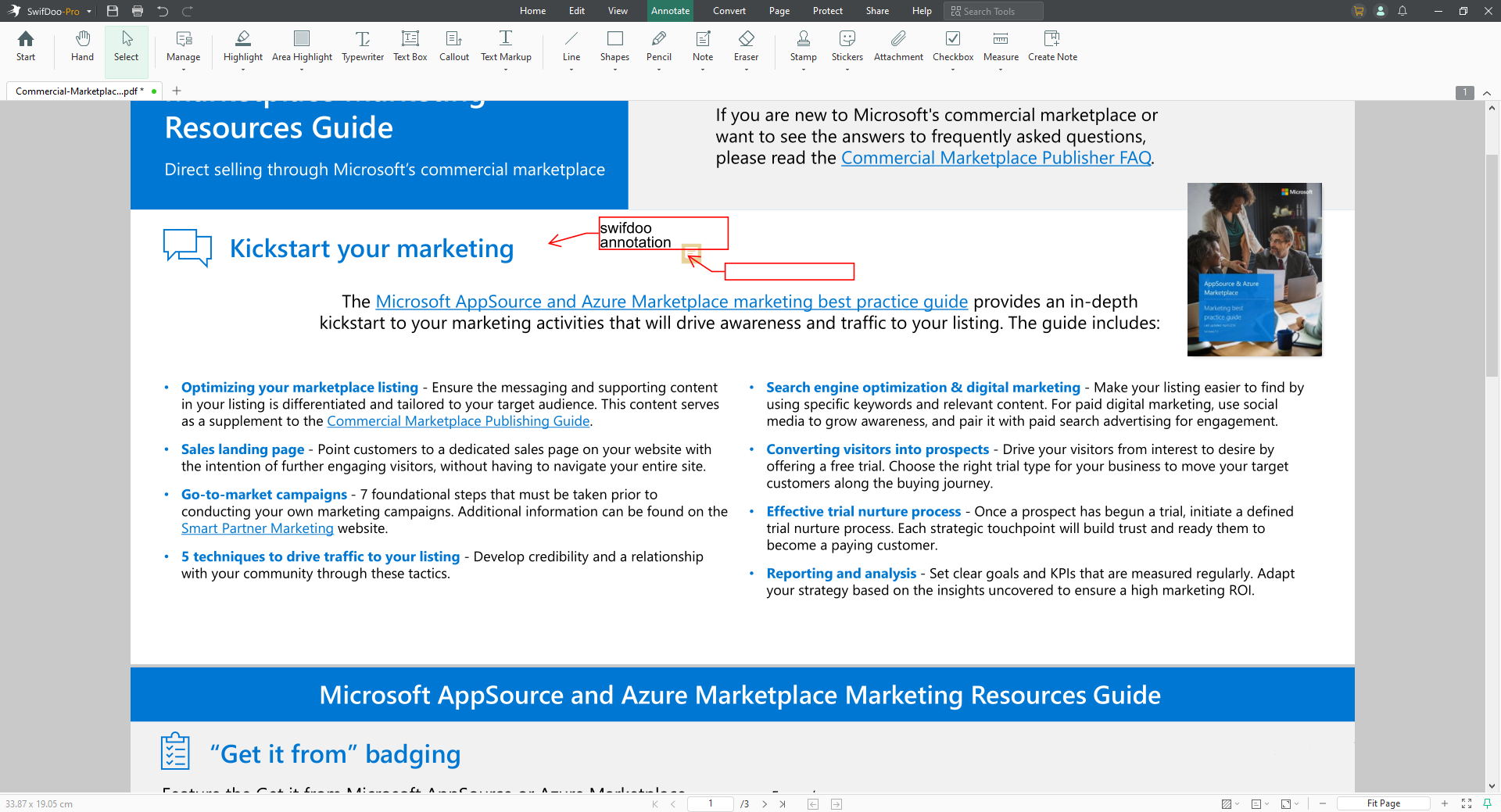
Users also have access to a range of graphic symbols (e.g., arrows, circles, polygon or squares) that can be used to quickly mark selected sections of the document. SwifDoo PDF even allows users to add audio notes or file attachments as annotations. This set of features will undoubtedly be extremely useful for those regularly collaborating on PDF documents.
PDF Editing Made Easier Than Ever
While most reputable PDF editing programs work well, they often require a lot of training and aren’t always super accurate. With SwifDoo PDF editor, things are much simpler. The OCR is automatic. Simply load a document, select a section of text, and simply edit, delete, or add something.
Basic editing is therefore very intuitive. The program excels at recognizing fonts and preserving the original formatting, so adding a few words to an existing document doesn’t ruin the entire page. It’s a truly clever tool for quick and easy PDF editing.
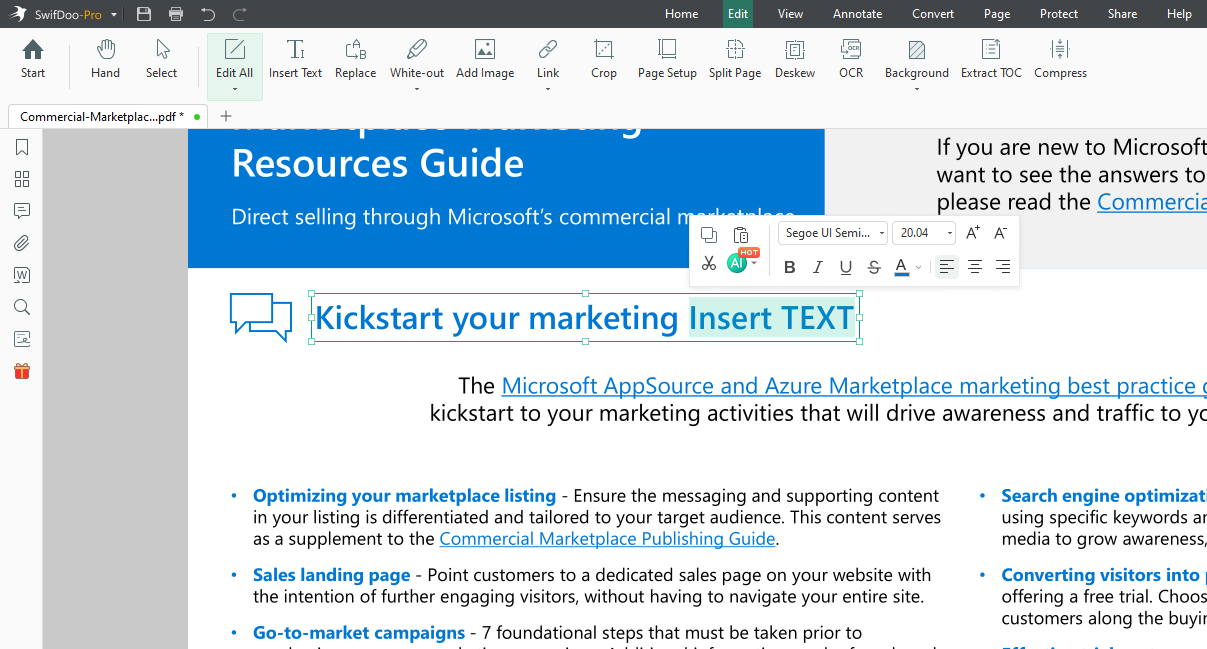
You can also edit images and other PDF elements, add new objects, and so on. Working with layers is helpful in this regard. You can separate, add, and overlay them. You can also add your own stamp, watermark, or electronic signature.
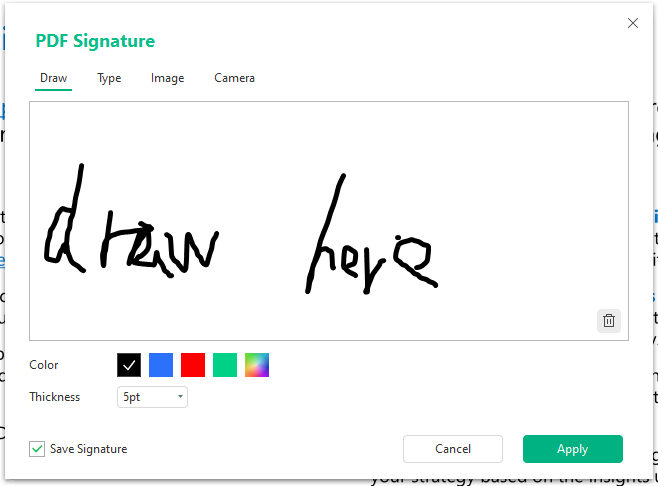
The latter supports certificates from the system or loaded from a file. It uses a timestamp and even design an entire signature, customizing individual elements to your liking. Handwriting and a range of fonts also allow you to design your own signature for future use. This is very convenient if you frequently sign documents.
Useful Additional Add-on(s)
It’s impossible to cover every feature of SwifDoo PDF in one article, so we’ll highlight just a few of the most promising ones. Particularly noteworthy is its AI integration, which analyzes the PDF content to suggest relevant questions and provides accurate answers about the document—all through an intuitive, conversational interface. Other useful add-ons include SwifDoo Cloud, Document Translation, etc.
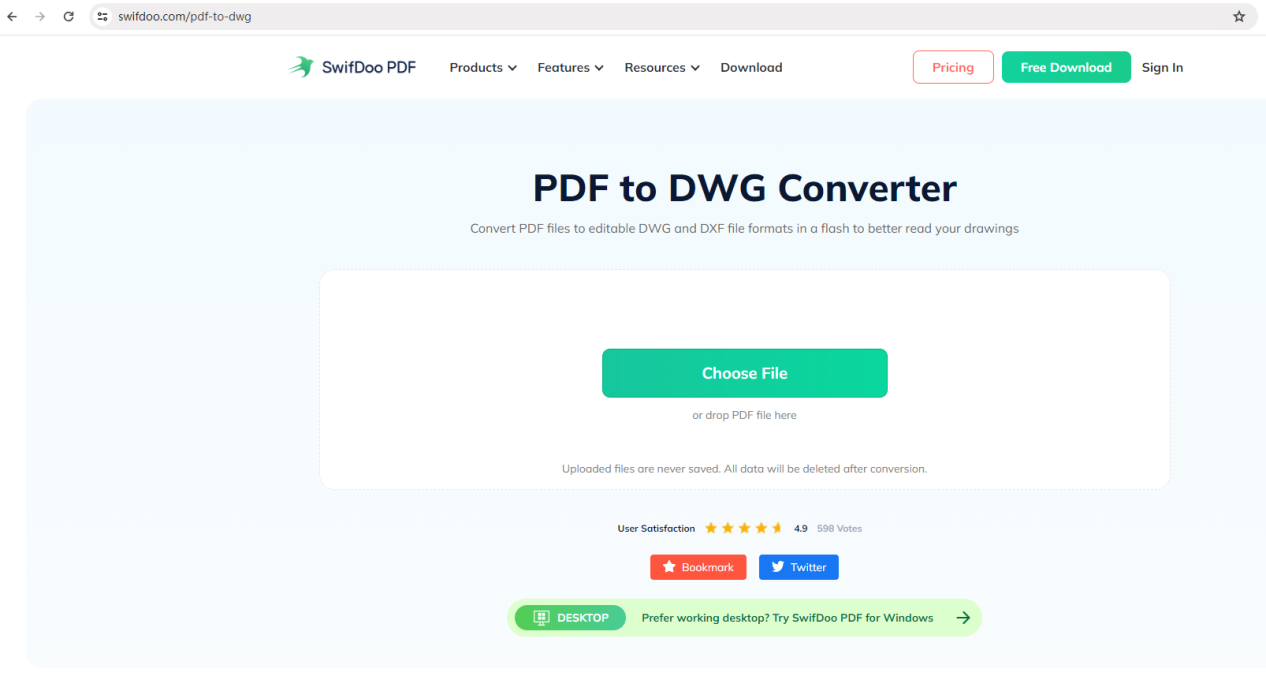
When working with SwifDoo PDF, it can also be useful to extract individual pages into a separate file and its free online converters allow you to convert PDFs in a different format, such as PDF to Word, PDF to DWG online, etc. The program also provides the ability to combine, split, move, duplicate, and swap selected document pages.
Nothing stops you from cropping, rotating, or resizing the document to make it compatible with A4 paper, for example. Users can also add their own watermarks, modify the background (e.g., change its color).
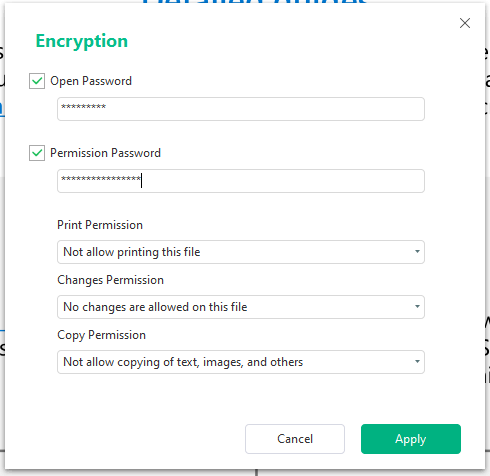
SwifDoo PDF also offers security features. For sensitive documents, you can encrypt them and protect them with a password. Prepared files can be conveniently shared, for example, via email directly from the program interface.
In Summary
SwifDoo PDF is a user-friendly, all-in-one PDF solution that balances powerful features with an intuitive interface, making it ideal for both casual users and professionals tired of overly complex or subscription-based tools. It delivers professional-grade PDF viewing, editing, annotation, and security in a refreshingly simple package.