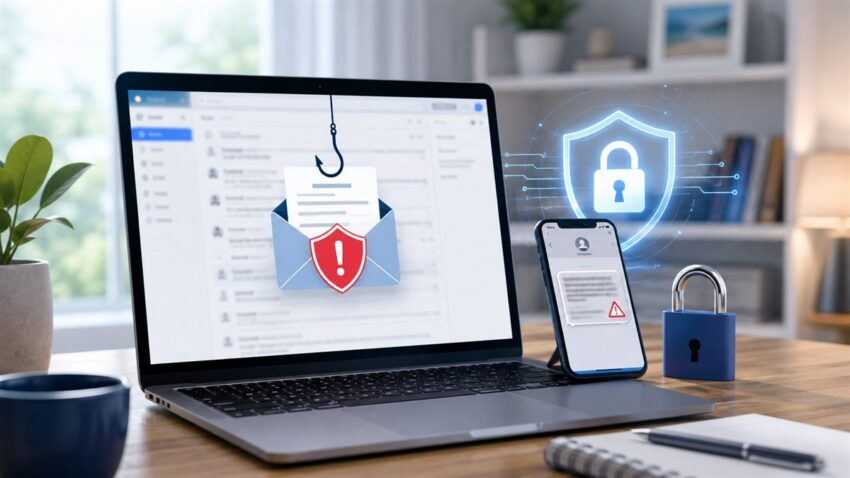
Phishing is a cyber scam where criminals pretend to be a trusted person, company, bank, delivery service, government agency, or workplace system to trick you into giving away money, passwords, Social Security numbers, credit card details, or access to your accounts.
For Americans in 2026, phishing is no longer only a suspicious email with spelling mistakes. It now appears in text messages, QR codes, fake bank alerts, social media DMs, job offers, tax notices, delivery updates, AI voice calls, and even realistic deepfake videos. The goal is usually the same: make you act quickly before you stop and verify.
According to the FBI’s 2025 Internet Crime Report announcement, cyber-enabled crimes defrauded Americans of nearly $21 billion, and phishing/spoofing was among the most frequently reported complaint types. The Anti-Phishing Working Group also reported more than 1 million phishing attacks in the first quarter of 2025, with QR-code phishing and financial-sector attacks remaining major concerns.
Quick Answer: What Is Phishing?
Phishing is a social engineering attack. Instead of hacking a system directly, scammers hack human trust. They send a message that looks urgent, official, emotional, or profitable, then push you to click a link, open an attachment, scan a QR code, call a fake support number, approve a login, or send payment.
A phishing message may pretend to come from:
- Your bank, credit card company, or payment app
- USPS, UPS, FedEx, Amazon, or another delivery service
- The IRS, Social Security Administration, Medicare, DMV, or a state agency
- Your employer, HR department, payroll provider, or IT help desk
- Apple, Google, Microsoft, Netflix, PayPal, Venmo, Zelle, or a similar service
- A friend, family member, manager, recruiter, landlord, school, or charity
Why Phishing Is Still Dangerous in 2026
Phishing works because it uses pressure and familiarity. Many Americans receive dozens of notifications every day, so a fake message can slip into normal life. Scammers now use real logos, copied website designs, short links, spoofed phone numbers, AI-written text, and stolen personal details from previous data breaches.
The FTC explains that phishing messages often claim there is suspicious activity, a payment issue, an invoice, a government refund, or a prize. These messages are designed to make you click first and think later.
Common Types of Phishing in 2026
1. Email Phishing
This is the classic version. You receive an email that looks like it came from a bank, online store, software account, school, workplace, or government office. It may ask you to reset your password, verify billing information, download a file, or approve a transaction.
Example: An email says your bank account will be frozen unless you click a link and confirm your login. The page looks like your bank, but the URL is slightly different.
2. Smishing: Text Message Phishing
Smishing uses SMS or messaging apps. This is very common in the United States because people respond quickly to texts from delivery companies, banks, toll services, and payment apps.
Example: A text says, “USPS package cannot be delivered. Update address here.” The link asks for a small redelivery fee and steals your card number.
3. Vishing: Voice Phishing
Vishing happens by phone call or voicemail. Scammers may pretend to be from your bank, the IRS, Medicare, tech support, police, or a fraud department. Caller ID can be spoofed, so a local or official-looking number is not proof.
Example: A caller says there was fraud on your debit card and asks you to read back a one-time code. That code may let them log in to your real account.
4. Spear Phishing
Spear phishing is targeted. The scammer researches you or your company and personalizes the message. It may mention your role, employer, vendor, school, city, or recent purchase.
Example: A small business employee receives an email that appears to come from a real supplier asking to change payment details for an invoice.
5. Business Email Compromise (BEC)
BEC targets businesses, nonprofits, schools, real estate offices, and local organizations. Criminals impersonate executives, vendors, attorneys, or finance teams to redirect payments or payroll deposits.
Example: A finance employee receives an urgent message that appears to come from the CEO asking for a same-day wire transfer. The account belongs to the scammer.
6. QR-Code Phishing, or Quishing
QR-code phishing tricks people into scanning a code that opens a fake login page or malware link. APWG reported that criminals are sending millions of QR-code emails each day, often leading to phishing sites or malware.
Example: A fake Microsoft 365 security email contains a QR code and says you must scan it to keep email access. The QR code opens a fake login page on your phone.
7. Social Media Phishing
Scammers use Facebook, Instagram, TikTok, LinkedIn, X, WhatsApp, and dating apps to impersonate people or brands. These scams may involve fake giveaways, investment offers, account recovery messages, or romance scams.
Example: A fake support account replies to your complaint and asks you to “verify” your account through a link.
8. AI Voice and Deepfake Phishing
In 2026, AI makes some scams more convincing. Criminals can clone voices, generate realistic videos, create fake IDs, and write polished messages. The FBI has warned that scammers use voice clones and believable videos to pressure victims.
Example: A parent receives a call that sounds like a child asking for emergency money. The voice is AI-generated, and the payment request is fake.
Realistic Phishing Examples Targeting US Users
Fake Bank Fraud Alert
You receive a text: “Did you authorize a $493.82 transaction? Reply NO.” After you reply, a fake fraud agent calls and asks for your online banking code. Real banks may contact customers, but they will not ask for your password, full card number, or one-time login code.
Fake IRS Refund or Tax Notice
A message says you are eligible for a tax refund or must pay a penalty immediately. The link leads to a fake IRS-style page asking for your Social Security number and bank information. The IRS does not start most tax disputes through random texts or social media messages.
Fake Toll Road Payment
Drivers in several US states see fake toll payment texts claiming a small unpaid balance. The link asks for card details and may add pressure with late fees.
Fake Job Offer
A recruiter offers remote work, sends a check for equipment, then asks you to send money back or buy supplies from a fake vendor. The check later bounces.
Fake Delivery Problem
A delivery message says your package is delayed and asks you to confirm your address or pay a redelivery fee. The site steals your card and personal details.
How to Spot a Phishing Message
Watch for these warning signs:
- Urgent language such as “act now,” “account locked,” or “final notice”
- Requests for passwords, one-time codes, Social Security numbers, or full card numbers
- Links that do not match the real company domain
- Unexpected attachments, invoices, or shared documents
- Generic greetings such as “Dear customer”
- Payment requests by gift card, crypto, wire transfer, or payment app
- Pressure to keep the conversation secret
- Messages that create fear, excitement, romance, or a sense of emergency
How to Protect Yourself From Phishing in 2026
Use Phishing-Resistant MFA Where Possible
Turn on multifactor authentication for email, banking, social media, cloud storage, payroll, and work accounts. A security key or passkey is stronger than a text message code. CISA recommends MFA as one of the most important steps for online safety.
Use a Password Manager
A password manager helps you create unique passwords and can also help you notice fake websites. If the password manager does not offer to fill your bank login, you may be on a fake domain.
Never Share One-Time Codes
A real bank, government agency, or tech company should not ask you to read back a one-time login code. Treat any request for a code as a serious warning sign.
Go Directly to the Website or App
If you receive an alert, do not use the link in the message. Open the official app or type the known website address yourself. For banks, use the number printed on the back of your card.
Slow Down Before Sending Money
Many scams depend on speed. The FBI encourages people to take a beat before sharing money or information. Call a trusted number, verify with another person, and be suspicious of secrecy or urgency.
Keep Devices Updated
Install security updates for phones, laptops, browsers, and apps. Updates fix known security flaws that criminals may use after you click a bad link.
Teach Family Members the Red Flags
Older adults, teenagers, students, job seekers, and small business owners are frequent targets. Create a simple family rule: if money, passwords, codes, or personal data are involved, verify through another channel first.
What to Do If You Clicked a Phishing Link
- Do not enter more information.
- Disconnect from the page and close the tab.
- Change the password for the affected account from the official website or app.
- Turn on MFA if it is not already enabled.
- Run a security scan on your device if you downloaded anything.
- Contact your bank or card issuer immediately if payment details were entered.
- Report identity theft at IdentityTheft.gov if your Social Security number or other sensitive identity data was exposed.
Where US Users Should Report Phishing
- FTC: Report scams at ReportFraud.ftc.gov.
- FBI IC3: Report cybercrime at IC3.gov.
- Text messages: Forward suspicious texts to 7726, which spells SPAM.
- Email phishing: Forward phishing emails to reportphishing@apwg.org.
- Your bank or card issuer: Call the official number on your card or statement.
Phishing Protection Checklist for 2026
- Use unique passwords for every important account.
- Store passwords in a trusted password manager.
- Enable MFA, preferably passkeys or security keys for high-value accounts.
- Do not click unexpected links from texts, emails, or DMs.
- Do not share one-time codes with anyone.
- Verify payment changes by phone using a known number.
- Update phones, computers, browsers, and apps.
- Back up important files.
- Report phishing quickly so platforms, carriers, and authorities can act.
Frequently Asked Questions
What is phishing in simple words?
Phishing is a fake message or call that tries to trick you into giving away money, passwords, account numbers, or personal information.
What is the most common type of phishing?
Email phishing is still common, but text-message phishing, fake delivery alerts, bank impersonation, and QR-code phishing are now major risks for US users.
Can phishing happen on iPhone or Android?
Yes. Phishing can happen on any device through email, SMS, WhatsApp, social media, QR codes, websites, or phone calls.
What should I do if I gave my bank details to a phishing site?
Call your bank immediately using the official number on your card or statement. Ask them to freeze or replace the card, monitor transactions, and secure your online banking access.
How can I check if a link is real?
Look at the full domain name carefully, but the safest option is to avoid the link and open the official website or app directly.
Final Thoughts
Phishing in 2026 is faster, more personal, and more convincing than older email scams. But the best defense is still practical: slow down, verify through official channels, use strong account security, and report suspicious messages. If a message creates panic, asks for secrecy, requests a code, or pushes immediate payment, treat it as a warning sign.