
Lets see How to Activate and Use WhatsApp Payment in India. WhatsApp is one of the most famous and trustworthy free messaging app available for users all around the world. It is available for both Android and iPhone users worldwide. Millions of users prefer using this messaging app due to its great features and simple user-friendly interface. Recently, WhatsApp has announced its new WhatsApp payment features in the country, which means that now users will be able to make payment through UPI transfers from one account to another using the app.
If you are eager to activate the WhatsApp payment feature in your app, then you should first update your WhatsApp app by going through the Google Play Store. After updating the latest version of WhatsApp, you should follow the below-mentioned steps.
Steps to Use WhatsApp Payment in India.
- First, you need to go to the three-dot menu on the top right corner and select Payment
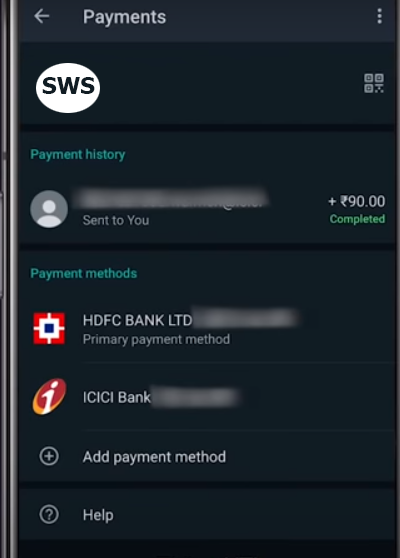

- After selecting the payment, now you have to verify your registered mobile number to link with your bank account
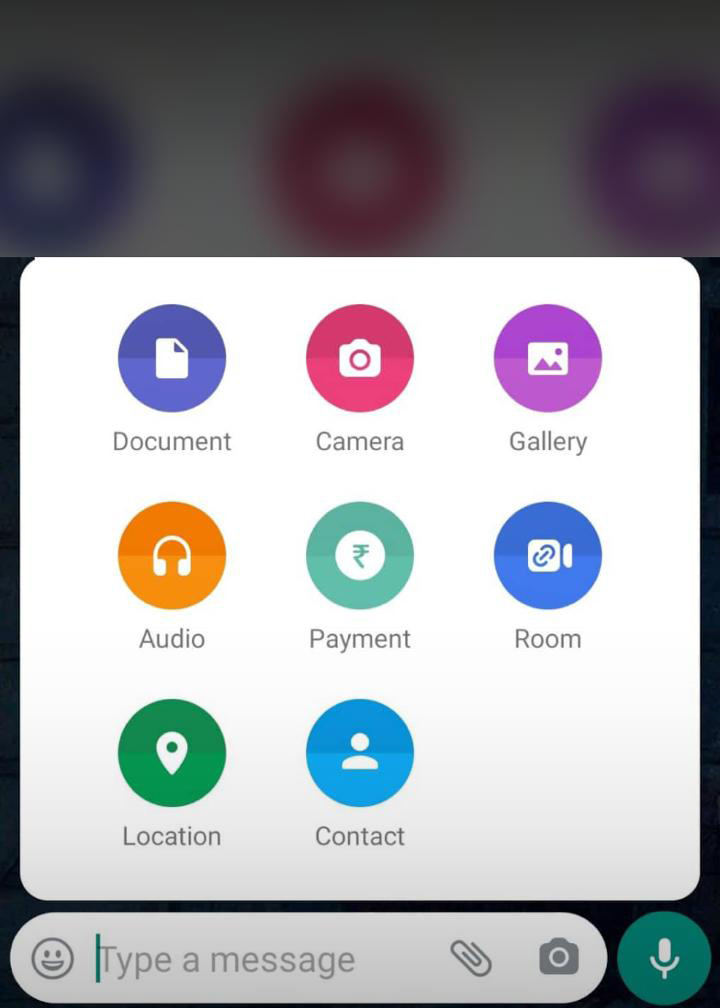
- After linking your bank account, just go to the chat window
- Now you can pay another user from the message interface with a 4-digit PIN as the password
- After completion of payment, you will get a confirmation message
- After Activation of WhatsApp Payment, You can use the payment option like below.

As a user, you do not have to rely on other payment apps for making any type of payment for sure. The Facebook-owned messaging app will send instructions to banks that will initiate the money transfer via UPI between send and receiver bank accounts.
This latest feature was available to a select number of users in its beta testing phase, but it has been rolled out for all users with 20 million users at first. Later, it will be expanding to more users so that every user can make the payment easily without any hassle for sure. It would be better for you to understand that it is very easy to activate and use the WhatsApp payment feature in your app. To make payment using WhatsApp, you just need to mention your bank account number and debit card. Also, you would be asked to enter your 4-digit UPI pin to make safer transactions.
UPI pin is mandatory for carrying out any transactions on WhatsApp just like on other payment apps. You should note that using the WhatsApp payment feature is very simple and all you require is a bank account that is linked to your phone number. With the help of UPI, WhatsApp has now become capable of letting you transfer your hard-earned money between different bank account without any hassle.
Also, you would be glad by knowing that there will be no extra charge for the transaction you are going to make. But, you can make only a limited number of transactions in a day only. For those users who are not able to see the WhatsApp payment option in their app, they should not worry about it at all. The new feature will be rolled out in a phased manner and will reach you soon for sure.
Also read
How to Search messages from specific contact in WhatsApp iPhone or iOS app
Author




Sijo Thomas is a web developer, SEO-focused content creator and digital tools builder at Smart Web Solutions. He creates practical web tools, technology guides and helpful online resources covering web development, WordPress, SEO, artificial intelligence and everyday digital solutions. His work focuses on making technology easier to understand and providing useful, user-friendly solutions for individuals and businesses.
LinkedIn:https://www.linkedin.com/in/sijo-thomas-it-seo-and-dm/