Menu
Smart Web Solutions
  • Home
  • General
  • Web Tips
    • Web development
    • PHP
    • zendframework
    • SocialEngine
    • SQL
    • javaScript
  • Internet
  • Free Web Tools
  • Contact Us
Smart Web Solutions
iphone emergency contact

How to add Emergency Contact number on Iphone Lock Screen

Posted on 15th June 201916th June 2019 by Sijo Thomas

In everybody’s life, many situations demand emergency contact on his/her phone.

  1. A lost phone is found by somebody and he/she has to contact the owner
  2. In accident cases, for contact the phone owner’s relatives or friends

New IOS manage this by “health” App. Follow the below steps to add an emergency contact on your iPhone

1. Open the Health app

2. Tap on the “Medical ID” tab on the right bottom of the screen
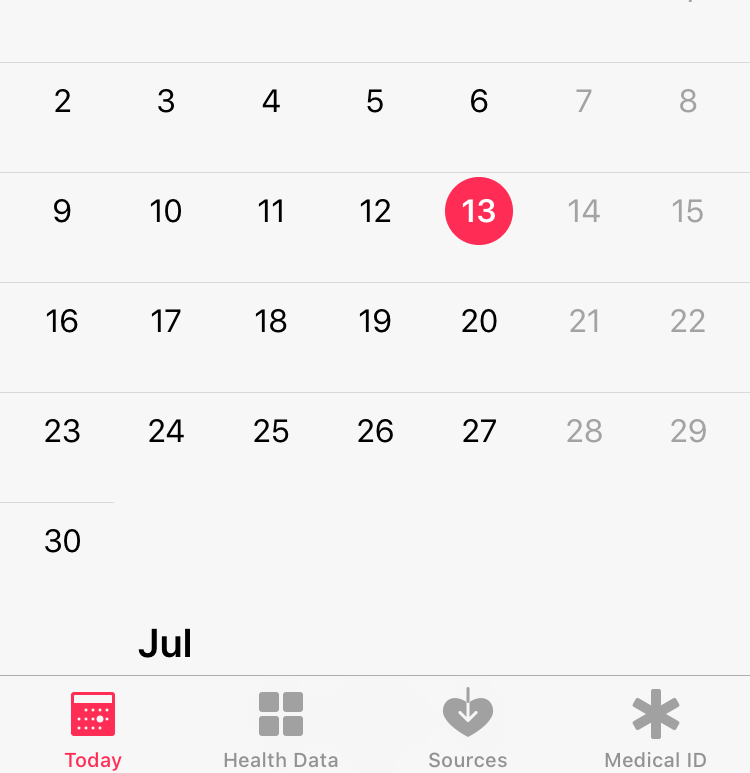
3. After opening the medical ID, tick the option “Show emergency contact on Lock screen”

emergency contact iphone

4. Then you can enter personal data like medical conditions, notes, allergies and reactions, medications, blood type, whether or not you’re an organ donor.
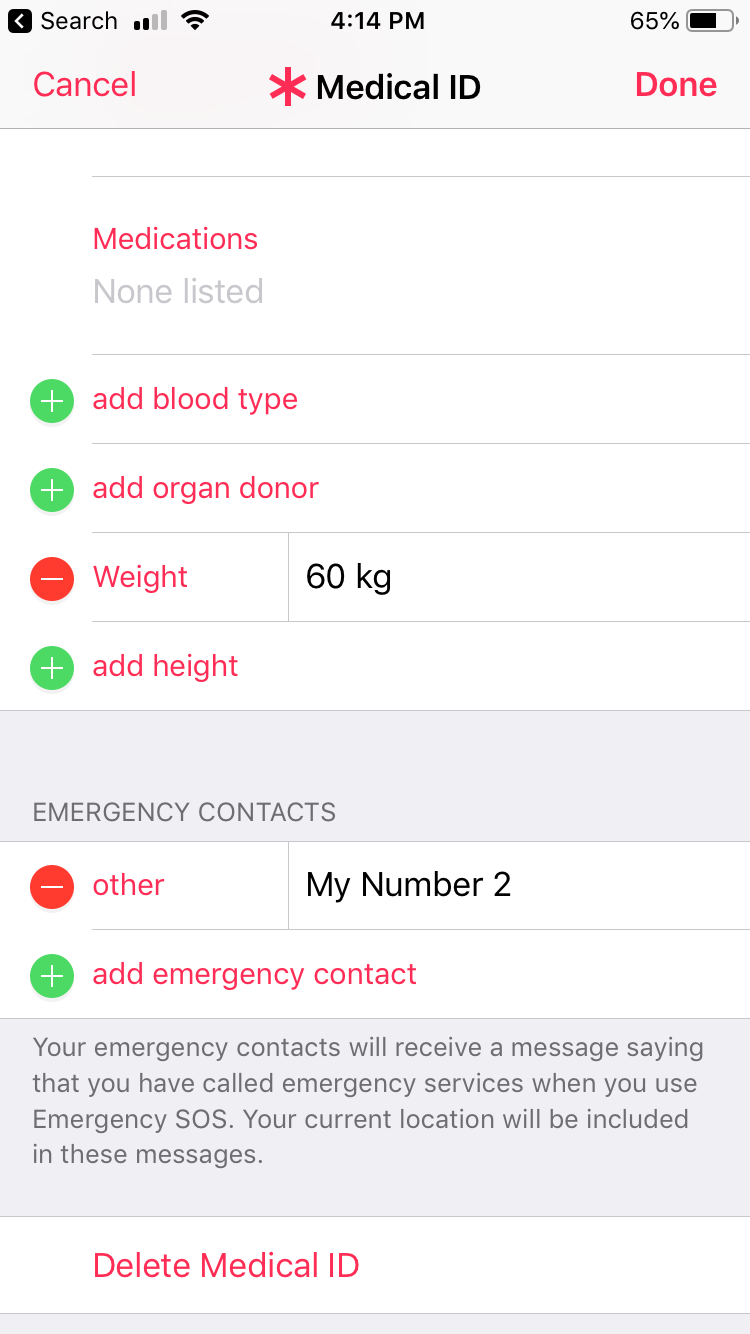
5. Anyway, don’t forget to fill the Emergency Number Section.

If possible, add more than one contact of the closest ones.

6. Save all changes.

Testing

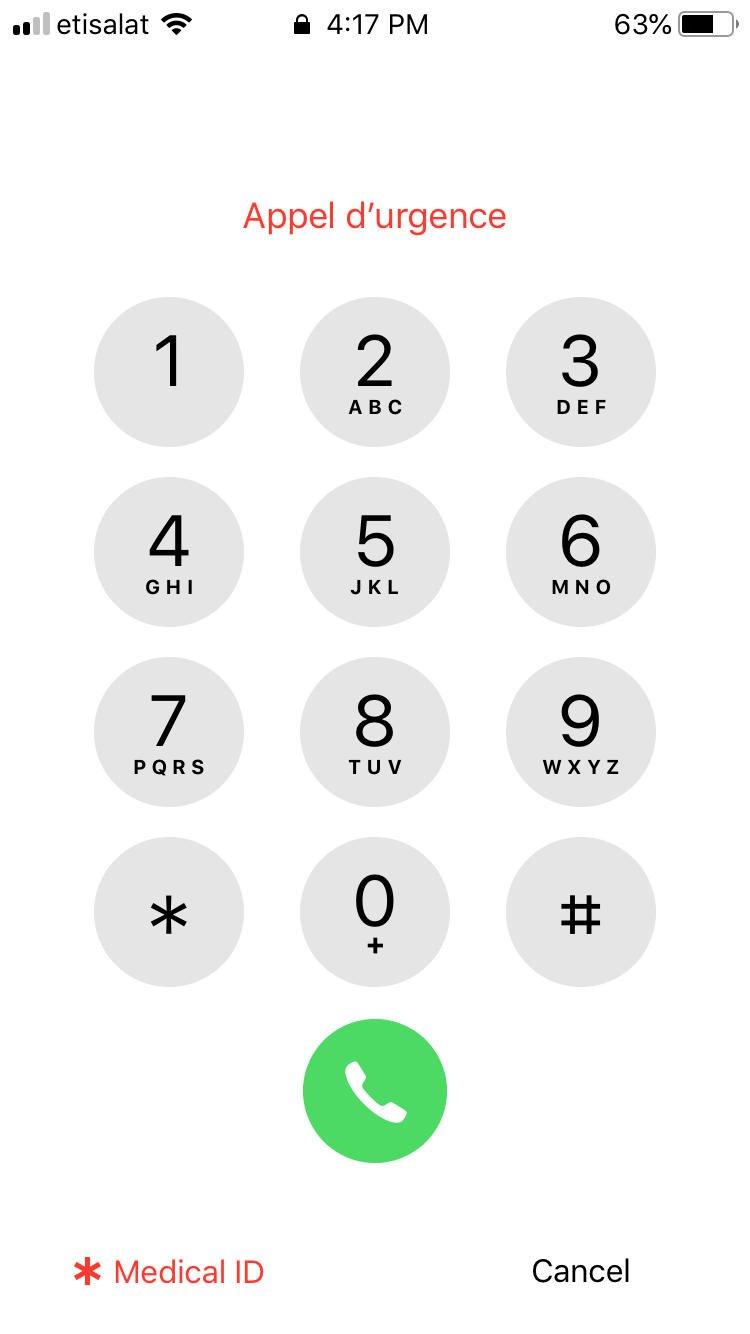
Lock your phone and tap the home with the wrong fingerprint or enter the wrong passcode.

After that, you can see the option “Emergency number” on the left bottom area.

Tap on that will show the medical ID option.
iphone emergency contact

Tap on the medical ID will display the information associated with you including the emergency Contact numbers

Thanks For reading


WhatsApp Business is Now available for iPhone


Author

  • sijo thomas
    Sijo Thomas

    Sijo Thomas is a web developer, SEO-focused content creator and digital tools builder at Smart Web Solutions. He creates practical web tools, technology guides and helpful online resources covering web development, WordPress, SEO, artificial intelligence and everyday digital solutions. His work focuses on making technology easier to understand and providing useful, user-friendly solutions for individuals and businesses.

    LinkedIn:https://www.linkedin.com/in/sijo-thomas-it-seo-and-dm/

    Facebook:https://www.facebook.com/sijothomasmaprayil

    Instagram:https://www.instagram.com/s14_sijothomas/

Post Views: 1,338

Related posts:

  1. Find the serial number of AirPods
  2. Share Wi-Fi password from your iPhone, iPad, or iPod touch
  3. iPhone battery replacement pricing-official-United Arab Emirates
  4. How to fix iPhone 11 battery drain issue with the latest iOS 14.5 update
  • add Emergency Contact number on Iphone
  • emergency sos ios
  • iPhone tips
  • Leave a Reply Cancel reply

    Your email address will not be published. Required fields are marked *

    Categories

    Android Apple MacBook Pro Artificial Intelligence(AI) Automobile Banking Business Computer Cybersecurity Digital Marketing Etisalat Finance Gaming General General Knowledge Google Health and Medicine Hosting Instagram-Reels Instagram Tips Internet iPhone Malayalam Microsoft Mobile Phones Movies Networking News Photoshop Tips PHP PUBG Mobile SEO SMO Softwares Technology TikTok Travel and Tourism UAE Guidelines uae news Web development Website Development Web Tips WhatsApp Windows windows 10 wordpress
    •  Cybersecurity tips for small businesses
      by Smart Techie
    •  How to make a Virtual Zero Balance Bank Account in India
      by Sijo Thomas
    •  Most Popular Foods in America
      by Smart Techie
    • 10 Best Remote Job Websites to Find Work-From-Home Jobs
      by Sijo Thomas
    • 10 Steps to Building a Solid Data Management Plan
      by Sijo Thomas
    • 10 Ways to Tell I am Not Coming to Office Today
      by Smart Techie
    • 20 Years of World of Warcraft: How the MMO Keeps Reinventing Itself
      by Sijo Thomas
    • 3 Easy Ways to Grow Your Business Through Instagram
      by Sijo Thomas
    • 5 Best Jesus Piece Pendants
      by Smart Techie
    • 5 Best Search Engines in the World
      by Smart Techie
    • 5 Company Swag Ideas for Employees To Celebrate Corporate Wins
      by Sijo Thomas
    copyrights ©SWS 2017-2026
    ©2026 Smart Web Solutions | Powered by Superb Themes